For property managersFor property managers and letting agencies
Your whole rental cycle, from listing to renewal.
6 ready-made processes for your agency: listing intake, tenant screening, inspections with a verifiable report, maintenance and renewals. Free for 14 days, no card.
Ready in 2 minutes, right in the browser, nothing to install.
Rentals in progress
Keystone Rentals · 6 kit processes
- 912 Oak Street, apt 54Property listing intake4/9LC
- Daniel PriceTenant application screening7/13RM
- 120 Flower Street, apt 31Move-in inspection4/12AS
- Kitchen leak, apt 31Maintenance request3/10PT
- 1500 Park Avenue, apt 1203Move-out inspection9/20AS
- Lease L-0218, Maple CourtLease renewal2/14MD
- AppFolio
- Buildium
- Yardi Breeze
- Rent Manager
- DoorLoop
The kit
6 ready-made processes, already in your account
They arrive in their own folder, as a starting point. Adjust the steps, fields, deadlines and owners to the way your agency works.
Property listing intake
Title, photos and authorization before listing.
Title checked, minimum photos and the owner's signed authorization before the ad goes live.
9 steps
Tenant application screening
The same criteria for everyone, decision on record.
Documents, credit check and the same criteria for every applicant, with the decision on record.
13 steps
Move-in inspection
Photos per room, keys, meters and signature.
Room by room, with photos, meter readings, keys and the tenant's signature.
16 steps
Maintenance request
Who pays, 24-hour answer and owner approval.
Who pays, a first answer within 24 hours and owner approval above the limit.
10 steps
Lease renewal
Starts on its own before the lease ends.
Starts on its own before the lease ends, with the rent increase, the negotiation and the decision on record.
14 steps
Move-out inspection
Compared with move-in, deposit settled.
Compared with the move-in report, separates normal wear from damage and settles the deposit.
20 steps
In the office and in the field
On the computer and on the phone, the same process.
It all runs in the browser, nothing to install. Whoever is out at the property uses the phone, whoever is in the office follows and approves on the computer, and every step shows up for both right away.
Move-in inspection
120 Flower Street, apt 31 · 4 of 12 steps
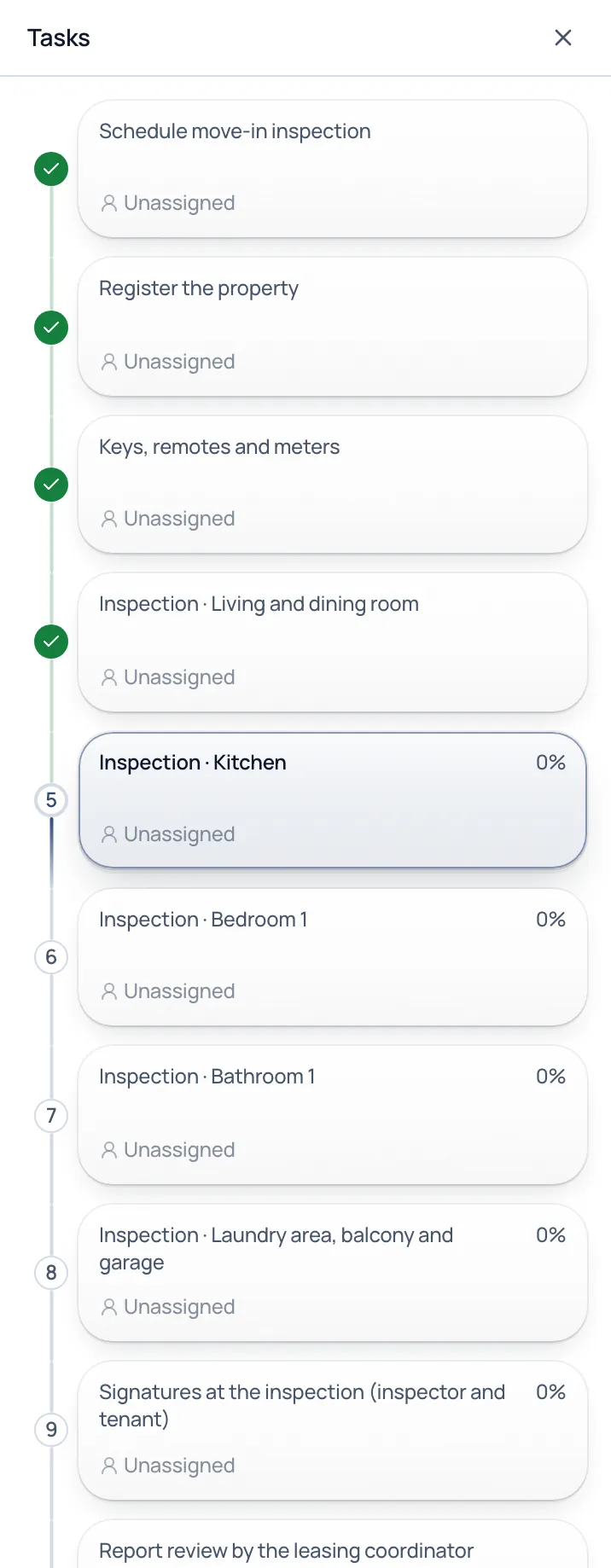
- Schedule move-in inspection
- Register the property
- Keys, remotes and meters
- Inspection · Living and dining room
- Inspection · Kitchen
- Inspection · Bedroom 1
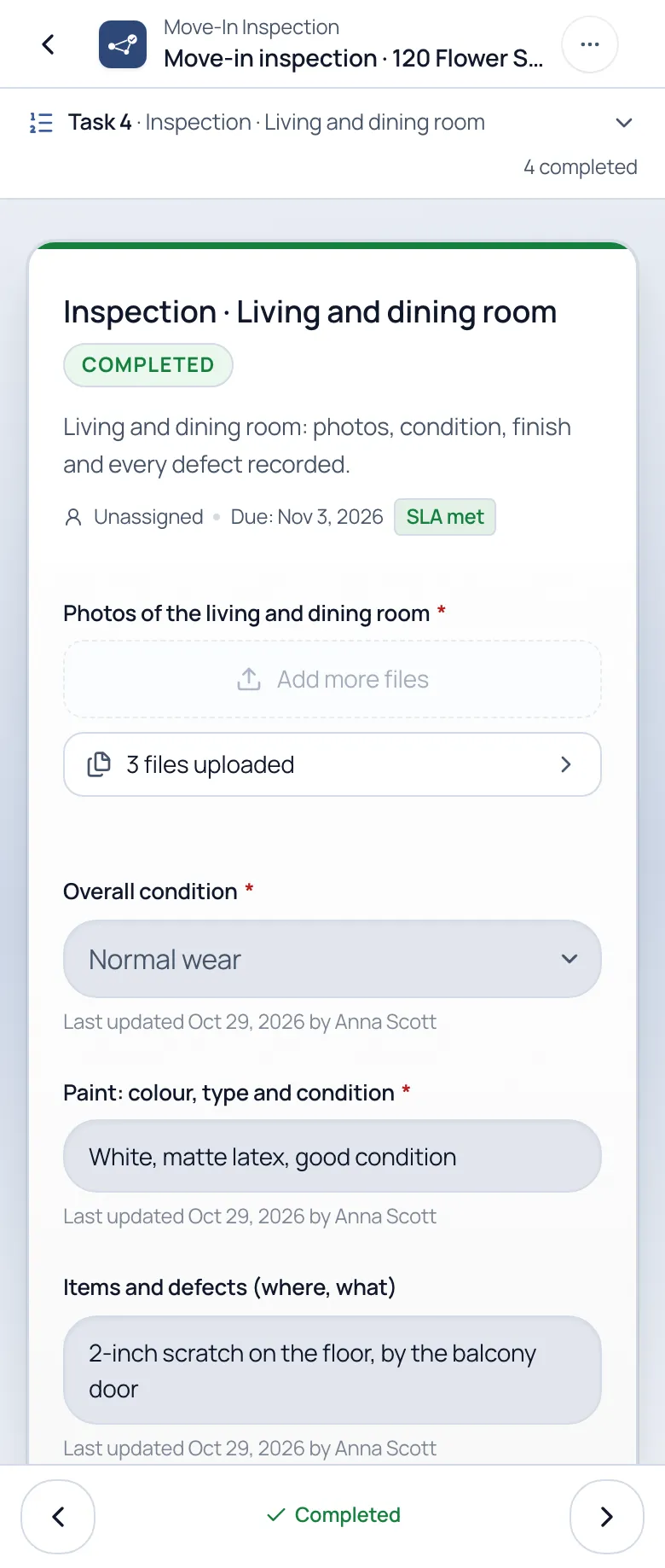
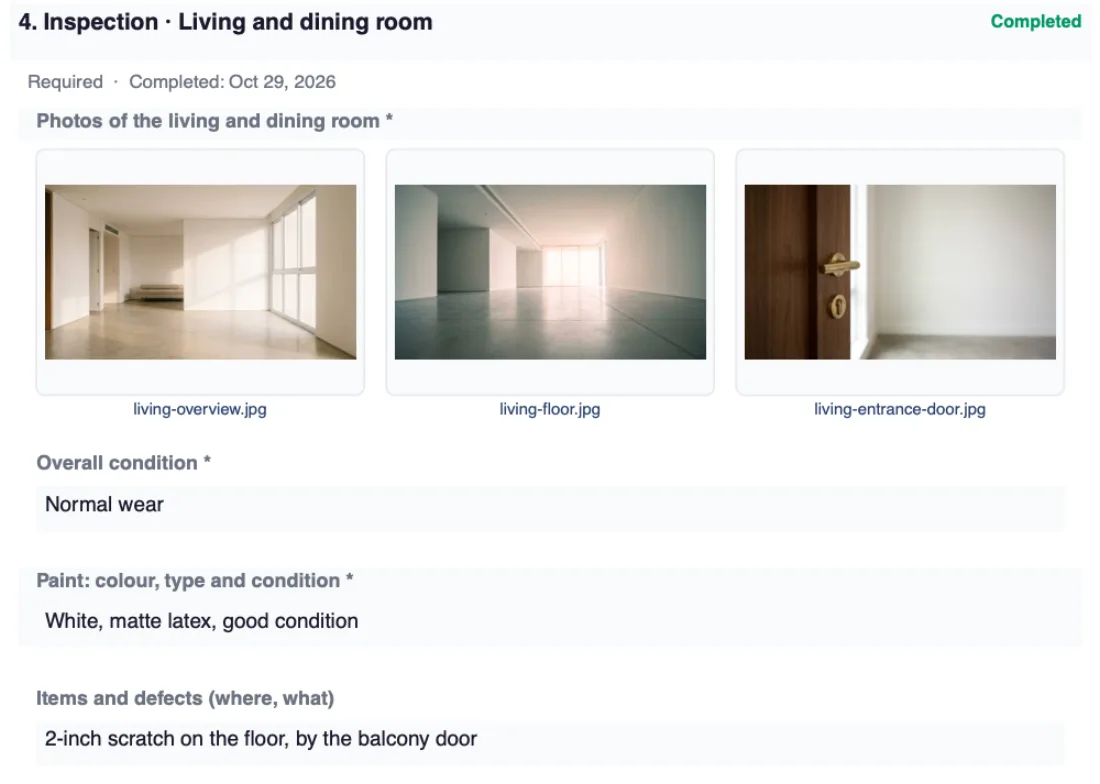
Inspection · Living and dining room
Completed

- Overall condition:
- Normal wear
- Paint:
- White, matte latex, good condition
- Items and defects:
- 2-inch scratch on the floor, by the balcony door
Recorded by Anna Scott, on her phone, on Oct 7
On the computer: the leasing team sees every rental, checks the photos of each room and approves the report.
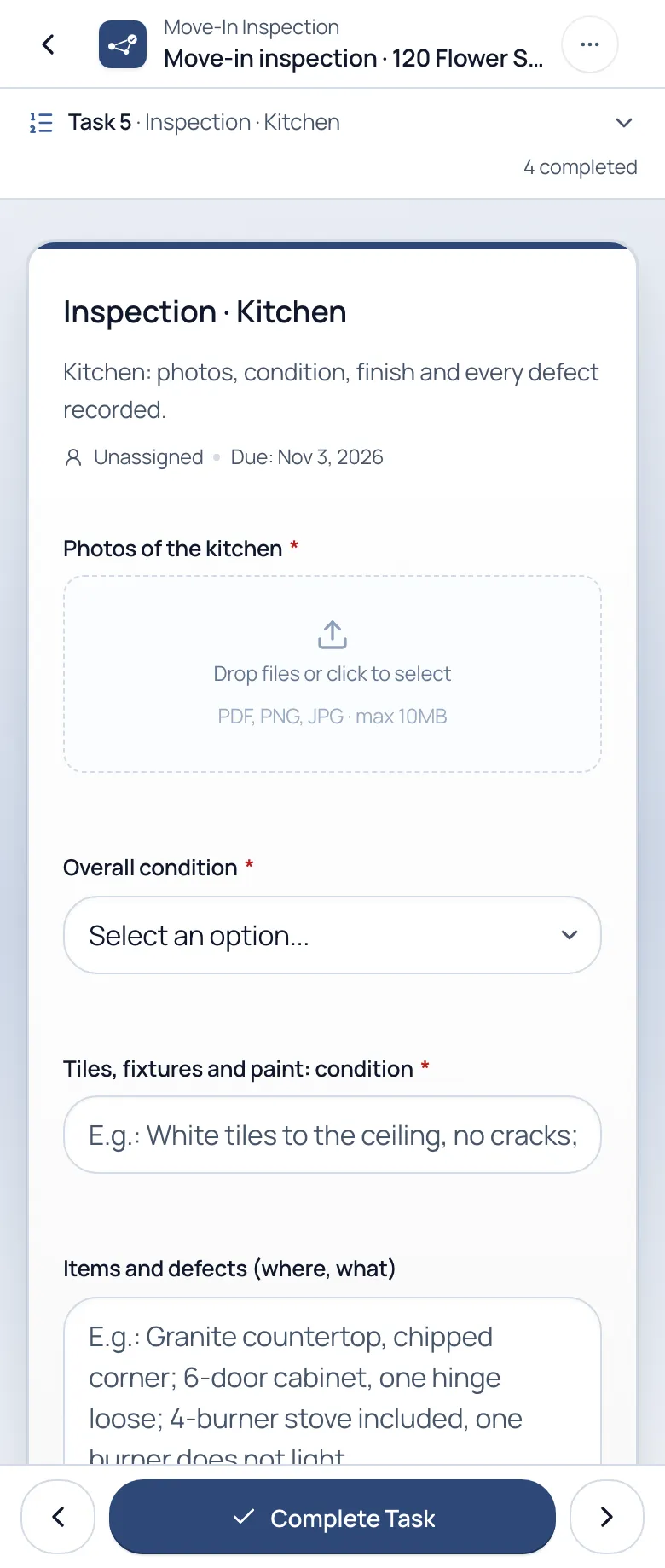
On the phone: the inspector follows the checklist, photographs each room with the camera and completes the step right there.
In practice: the move-in inspection
From inspection to report, no paper
1
Follow the checklist on the phone
The inspector opens the inspection and goes step by step. Only the rooms the property has show up, and everyone sees what is left.
2
Photos, signatures and approval
Photos of each room straight from the camera. The tenant and the inspector sign on the screen, and the leasing team approves it or sends it back with a comment.
3
Get a verifiable report
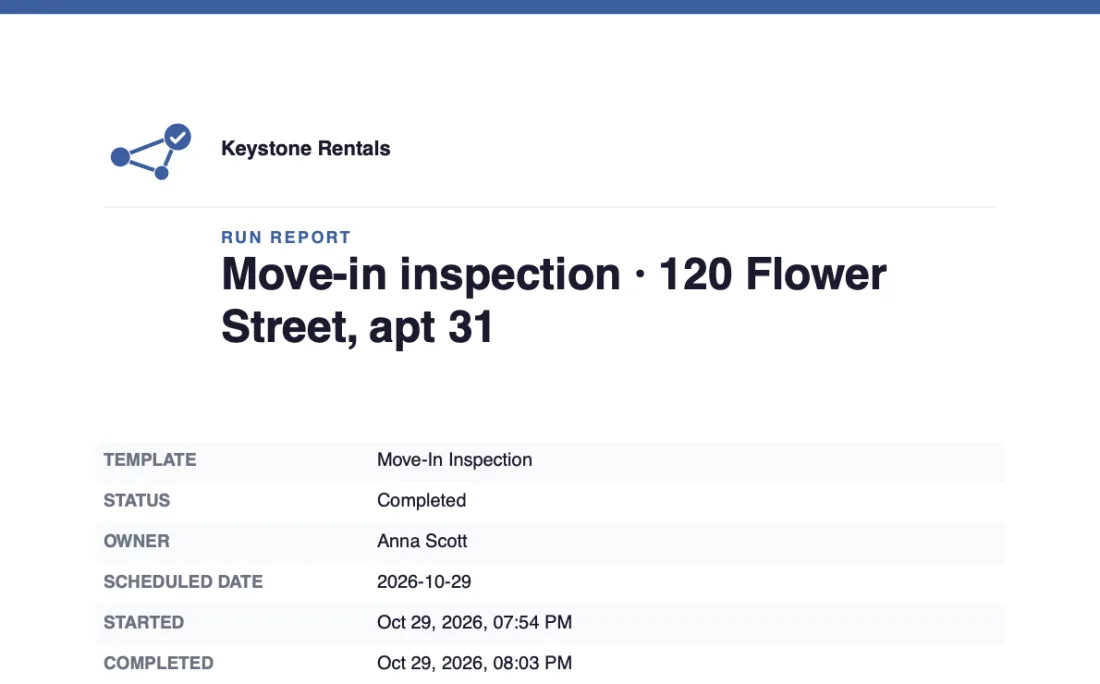
Photos, answers, signatures and approvals in one file, with a QR code and a public page to check it is authentic. Ready to send to the tenant and attach to the lease.
When the tenant disputes it, the report answers.
Organized evidence to discuss charges and the deposit return, without digging for photos in anyone's phone.
- Photos of every room, with the date and who took them
- The tenant's and the inspector's signatures on the report itself
- The leasing team's approval on record, with a comment
- A QR code and a public page to check the report is authentic
- At move-out, every room compared with the move-in report
Questions
Questions property managers ask
Do I have to replace the software I already use?
No. Cadenio runs the operational steps (inspections, maintenance, renewals) next to AppFolio, Buildium or whatever you use today. Your property records and accounting stay where they are.
Does it work on the inspector's phone and on the computer?
Yes, on both. It runs in the browser, nothing to install: the inspector uses the phone and each photo goes from the camera straight into the room's step, while the office follows and approves on the computer.
How much is it after the 14 days?
The trial runs on the Business plan, which includes the verifiable report with a QR code, and it asks for no card: you only pay if you stay. After that, pick the plan that fits your team.
See plans and pricingCan I change the kit's processes?
All of it: steps, fields, deadlines and owners. The kit is a starting point to adapt to your agency, your leases and your local rules.
What if my lease needs a certified e-signature?
The report carries the on-screen signatures, with name and date. If the lease calls for a certified e-signature, sign the PDF in the tool you already use and attach the file to the inspection itself.

Put your next rental on rails.
6 ready-made processes in your account in 2 minutes. Free for 14 days, no card.
Start free with the kit