Tutorial · Approvals
Approvals: add a real sign-off gate
Some steps must be explicitly approved before the Flow moves on. Cadenio approvals support ANY or ALL approvers, rework loops, required comments, and even a required signature.
Tutorial · Approvals
Some steps must be explicitly approved before the Flow moves on. Cadenio approvals support ANY or ALL approvers, rework loops, required comments, and even a required signature.
People · Approval
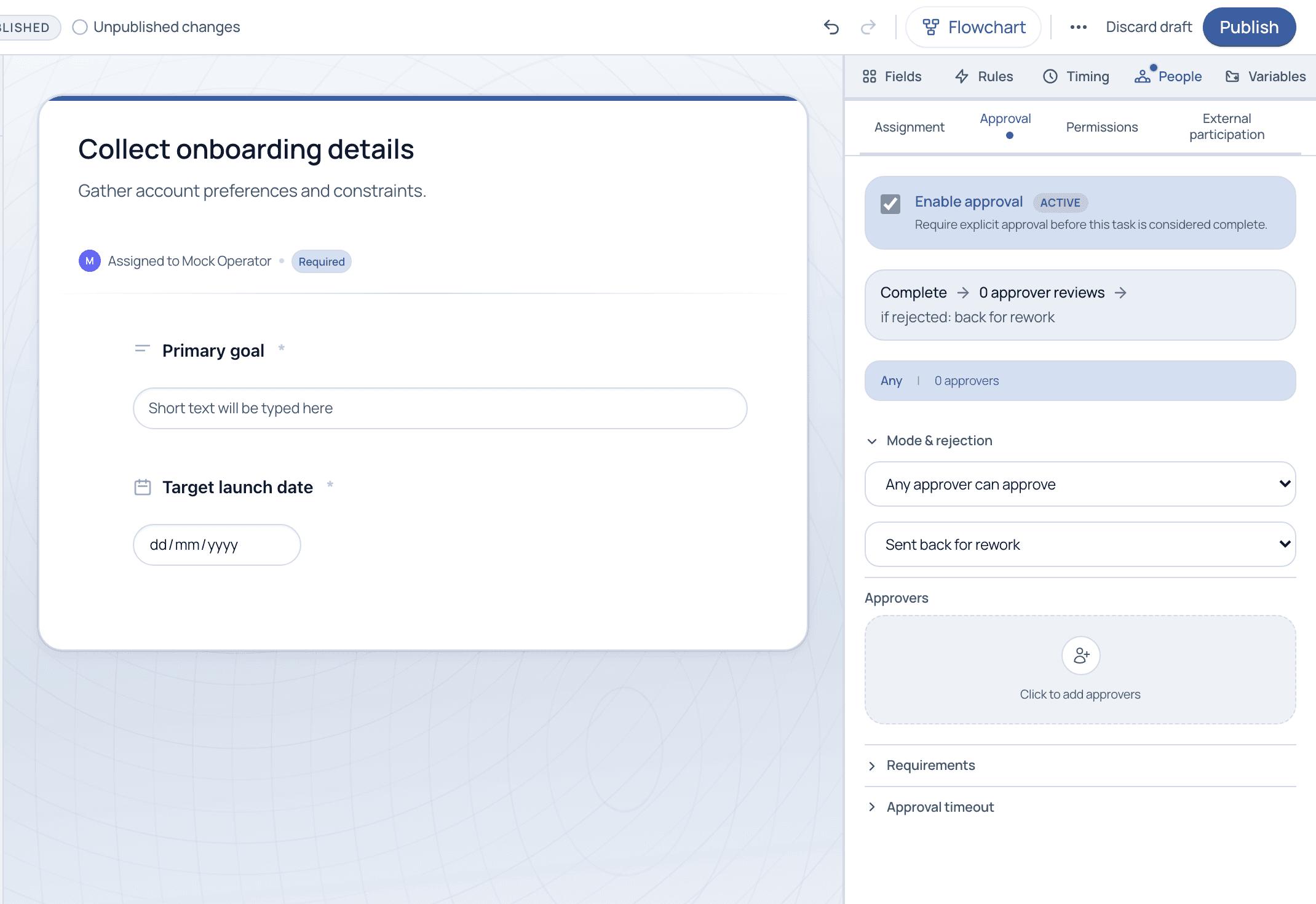
On the People tab, open Approval and switch on Enable approval. The task now requires explicit sign-off before it counts as complete. Set the mode (any approver or all approvers), the rejection behavior (send back for rework), the list of approvers, and optional requirements and timeout.

For compliance-sensitive steps, combine ALL-approver mode with a required comment or signature. You get a documented, attributable decision baked straight into the audit trail.
A required field just has to be filled for the task to complete. An approval adds a second person who must explicitly sign off on the completed task before the Flow proceeds.
Yes. Under requirements you can demand a signature on approval, which is the basis for legally meaningful sign-offs. The signature is captured and stored on the record.
The rejection behavior decides. The default sends the task back for rework, so the assignee addresses the feedback and resubmits for another review.

No purchase leaves this clinic without a recorded approval. Cadenio gives me that certainty, and it organized the rest of the operation too, from the first appointment through post-procedure care.
Founder, Clínica Lauréat · Sorocaba e Votorantim, SP
Weight management, integrative medicine, and longevity
See approval gates, rework loops, and signatures on a guided demo.