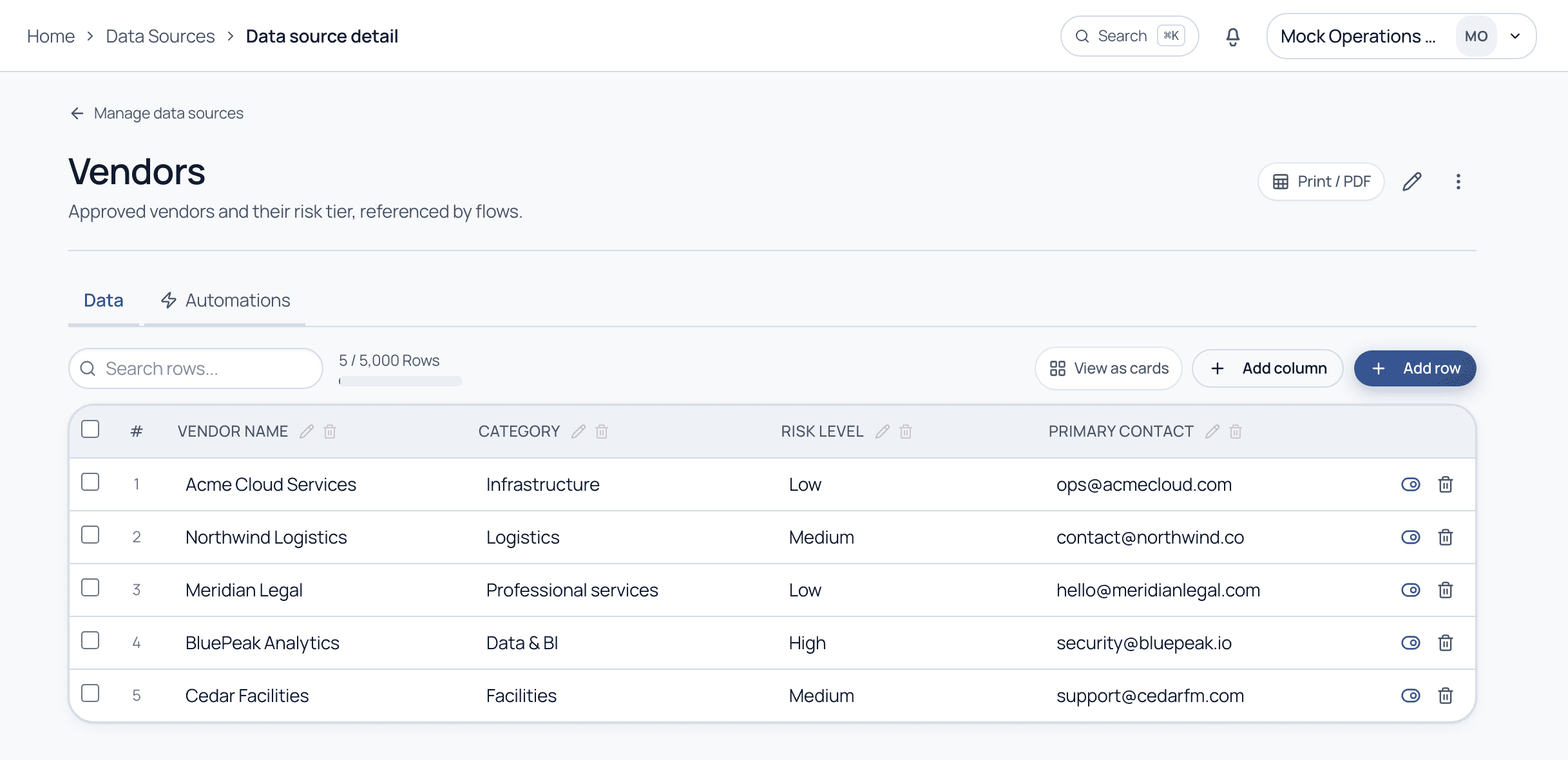
A Data Source is a reusable table, vendors, clients, sites, that lives once and feeds every flow. Pick a record in a task instead of retyping it, and keep everything consistent.
5 min read · Builders & admins
A Data Source
A living table your flows can read
Open Data Sources and create a table like Vendors, with the columns you need. Each row is a record; the Data field type in the editor lets a task pull from this table so people select a real record instead of retyping it. Update the table once and every flow sees the change.
A Data Source. Columns and rows you manage once; flows reference these records via the Data field type.
Why centralize data
Consistency
One list, everywhere
•No more mismatched spellings
•Update once, applies everywhere
•Reports group cleanly
Speed
Pick, don't type
•Select a record in a task
•Fewer errors at data entry
•Faster completion
Automations
Triggers on change
•A row change can start a flow
•Keeps downstream work in sync
•See the Automations tab
Working with a table
The essentials
Columns: Define the fields of the table (name, category, risk level). Add columns as your needs grow.
Rows: Each row is one record. Add, search, and edit rows inline; switch to a card view for a friendlier layout.
Reference from a flow: Use the Data Source field in the editor so a task pulls live options from this table.
Import & sync: Bring data in, and on higher plans keep a Data Source in sync with Google Sheets.
Common questions
How is a Data Source different from form fields?
Form fields capture data per run. A Data Source is shared reference data that many runs read from, so the same vendor list backs every flow that needs it.
Can a change to a Data Source trigger a flow?
Yes. On the Automations tab of a Data Source you can fire an action when a row is added or changed, keeping downstream processes in sync.
Centralize your reference data
Bring a spreadsheet you rely on and we will turn it into a governed Data Source on a guided demo.