01 · Start
Start from a ready-made process
Pick the template, name the run and start it. The original design never changes: every run is a live copy.
Features
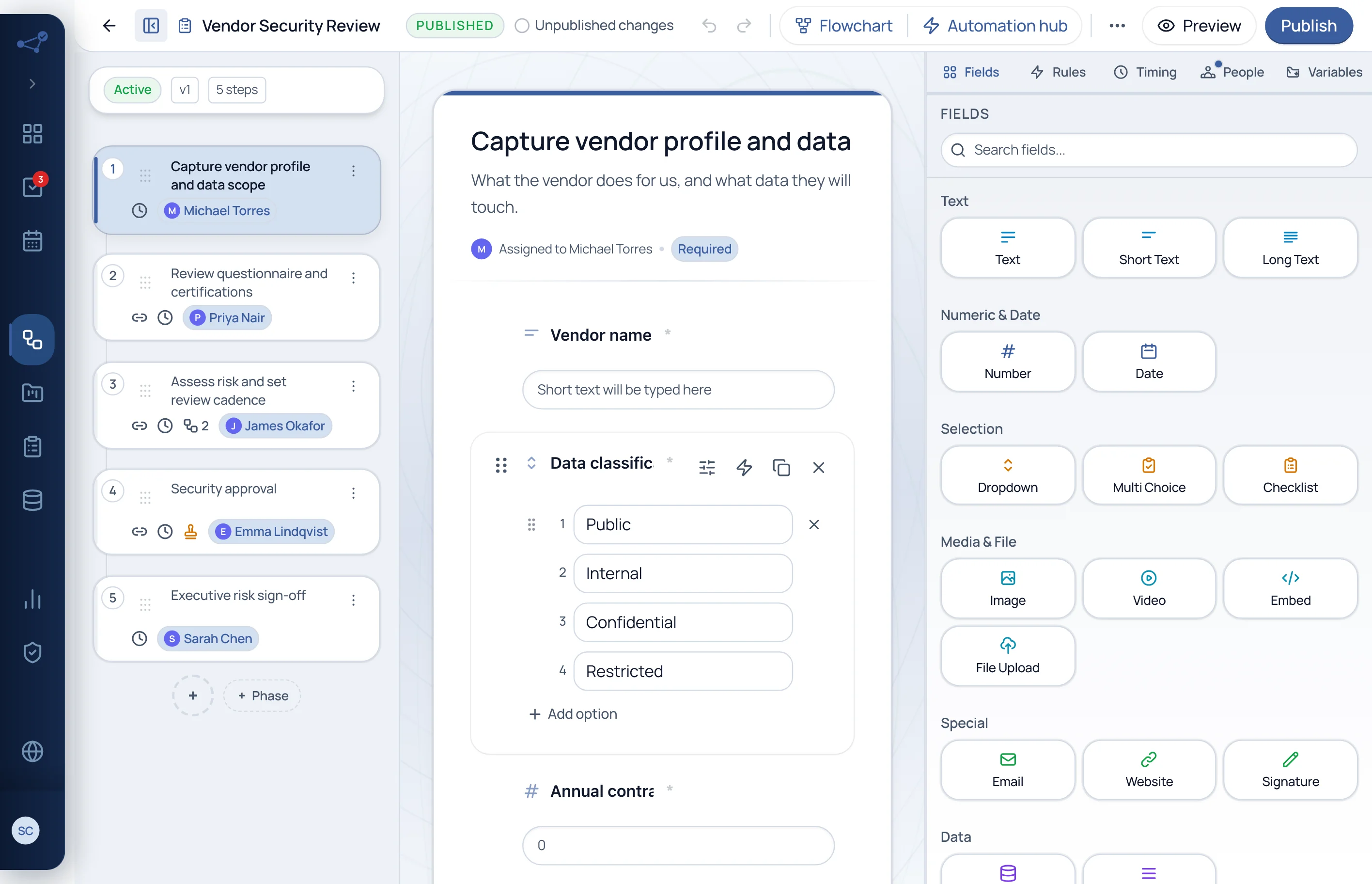
In Cadenio a process is designed, run and proven in the same place. Pick a stage and see the real screen.
 Owner and deadline per stepReady-made fields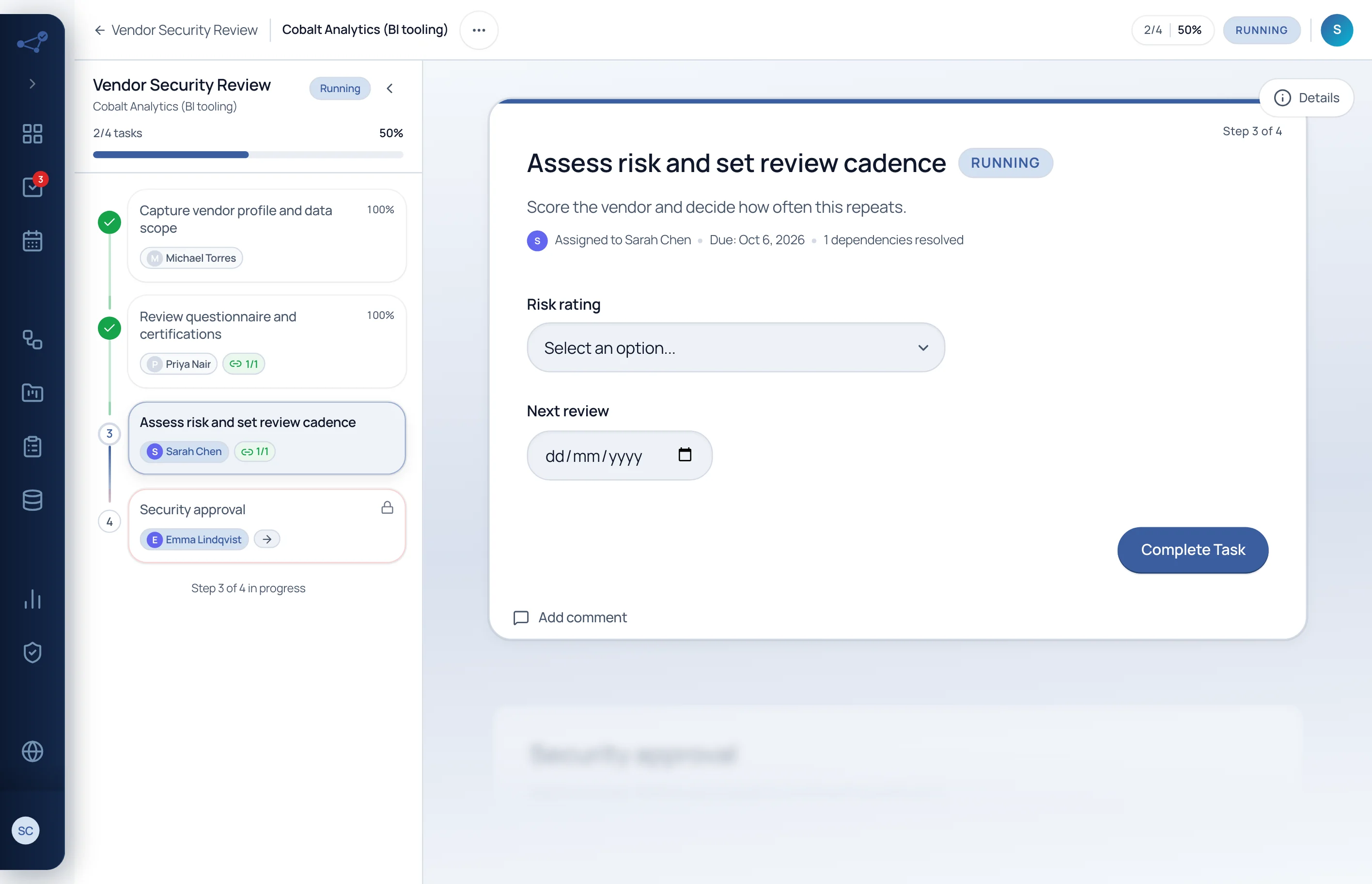
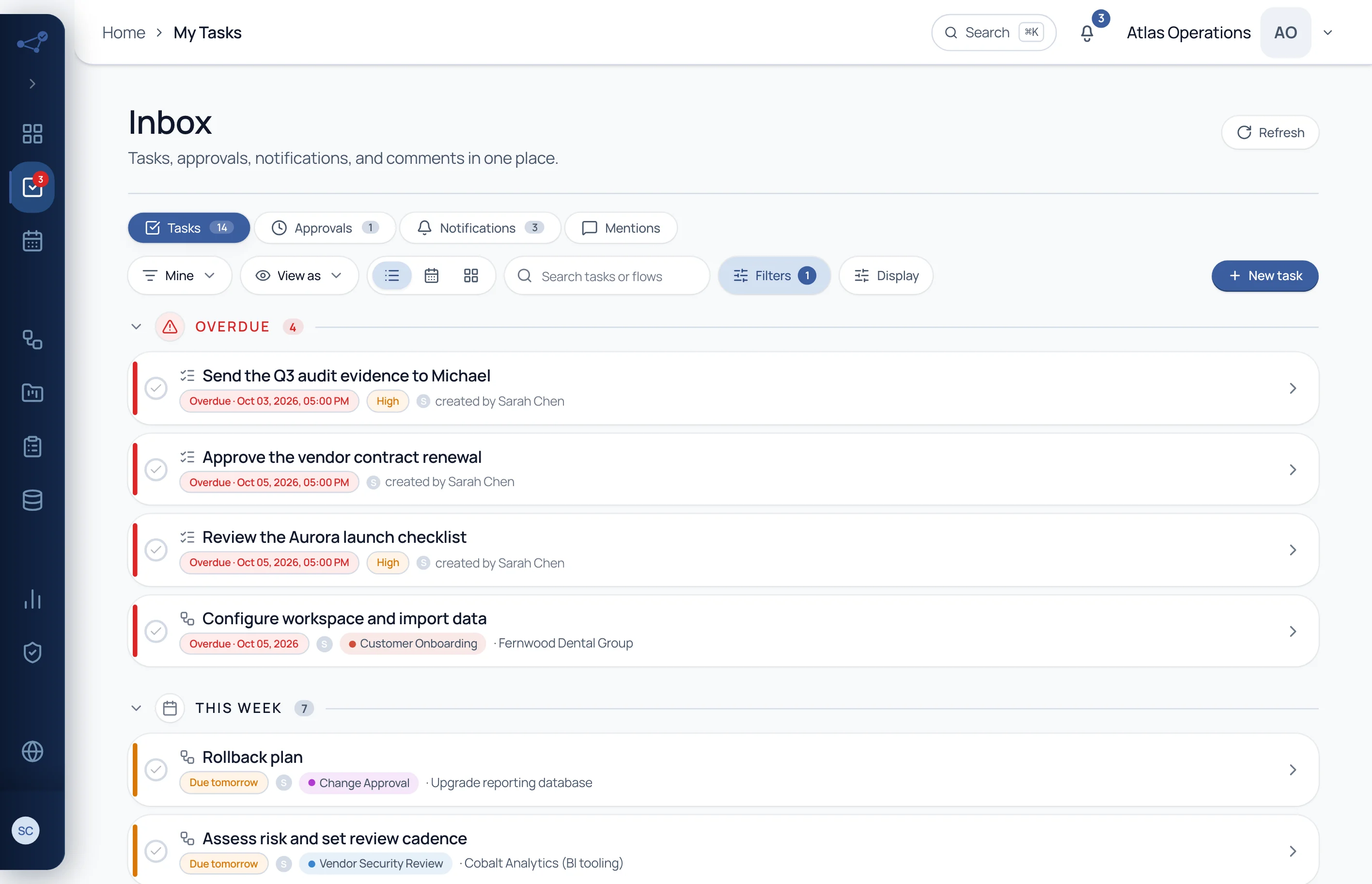
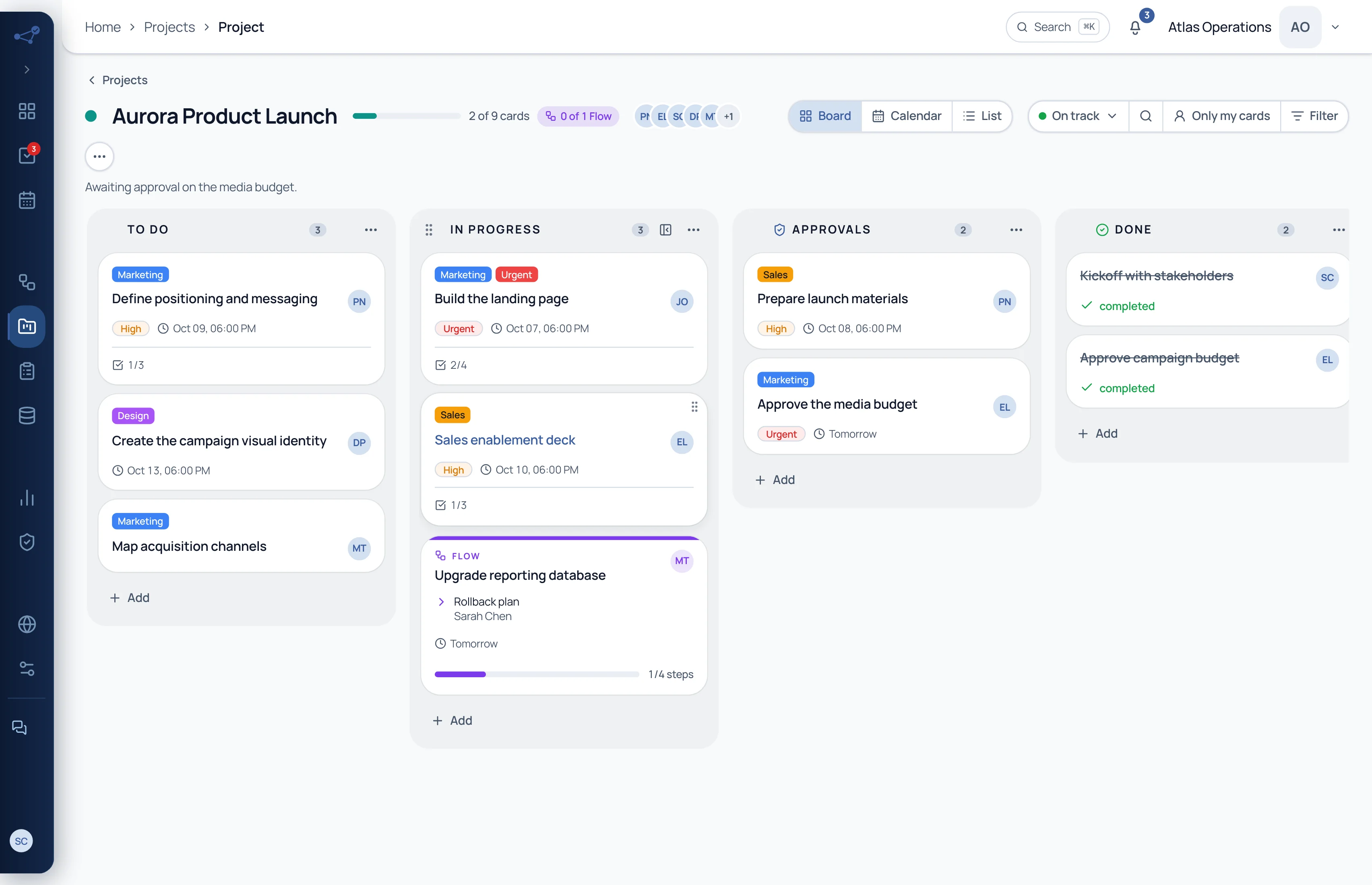
Every step starts with an owner, a deadline, fields and rules. AI drafts the first version from a text.
End to end
Reviewing a vendor: from the first click to the evidence the auditor asks for.
01 · Start
Pick the template, name the run and start it. The original design never changes: every run is a live copy.
01 · Start
Pick the template, name the run and start it. The original design never changes: every run is a live copy.
02 · Assign
Whoever executes gets the task with the right fields and the due date. Running late? Everyone can see it, no chasing in chat.
03 · Decide
If the risk is high, an extra executive sign-off appears. If it is low, the process carries on. Nobody has to remember the rule.
04 · Approve
Choose who approves and how: any approver or all of them. The decision and the signature are recorded on the step itself.
05 · Prove
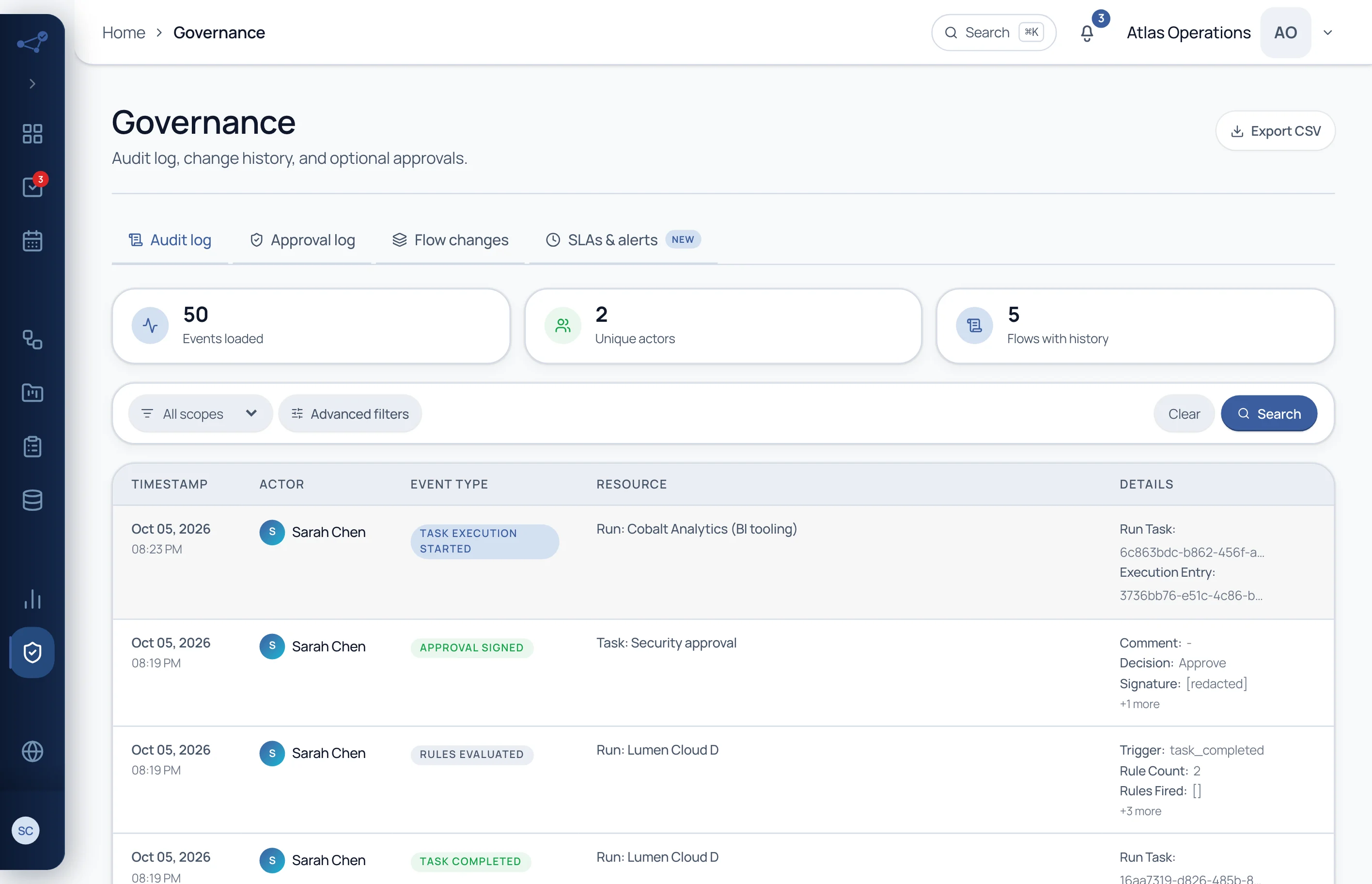
Every action creates a record with an author, a time and a resource. When the auditor asks, filter and export.
Built-in governance
Approval, deadlines, records and permissions are part of every step. So the answer is already there when someone asks.
Every decision keeps the approver, the time and the signature, on the step itself.
See the detailEvery Flow has versions and history. See what changed, who changed it, and restore when needed.
See the detailA deadline per step, SLAs and automatic escalation to the manager when it slips.
See the detailPermissions by Flow, project and data. Nobody sees anything until you grant it.
See the detailRecurring runs with attached evidence and an immutable log, exportable as CSV.
See the detailCompletion rate, cycle time and SLA compliance, without building a spreadsheet.
See the detail
No purchase leaves this clinic without a recorded approval. Cadenio gives me that certainty, and it organized the rest of the operation too, from the first appointment through post-procedure care.
Founder, Clínica Lauréat · Sorocaba e Votorantim, SP
Weight management, integrative medicine, and longevity
Templates
55 ready-made templates to clone and adapt to the way you work.
By team
SOPs with an owner, a deadline and a close-out. What slips shows up by itself, before it becomes a problem.
Browse solutions by teamIntegrations
26 integrations and a public API. Events from your stack start runs.
See all integrations


Reference
See Cadenio working with your own processes in a guided demo.