Every action in Cadenio is recorded: who did what, when, and on which resource. Governance turns that into a searchable, exportable audit log, plus approval history, flow changes, and SLA alerts.
5 min read · Admins & compliance
Governance
Immutable, searchable, exportable
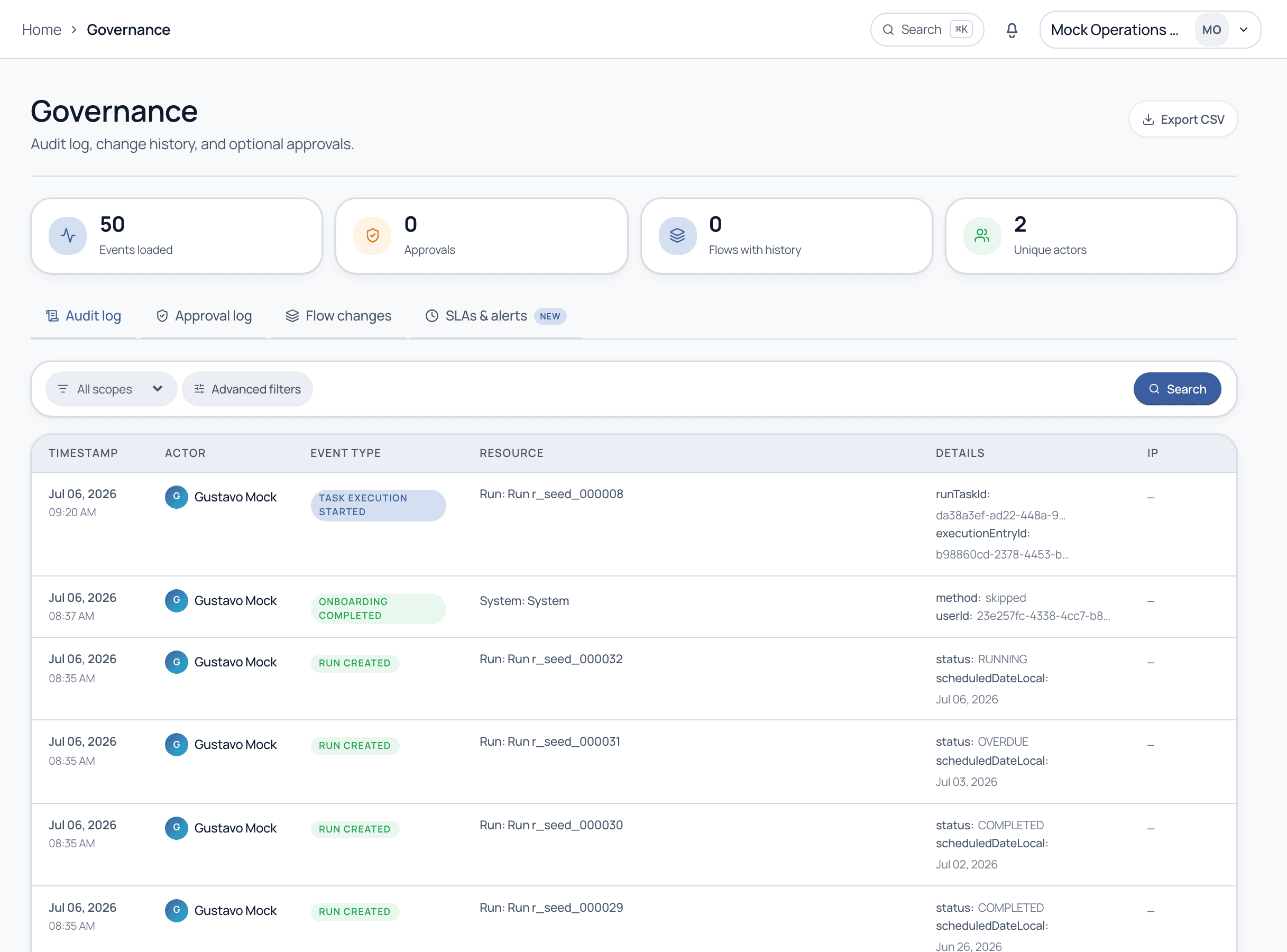
Governance opens on the Audit log: a time-stamped record of every event, actor, event type, resource, and detail. Tabs switch to the Approval log, Flow changes, and SLA alerts. Filter by scope, run advanced filters, and export the whole thing to CSV for auditors.
Governance. The audit log, with tabs for approvals, flow changes, and SLA alerts, plus CSV export.
The four views
Audit log
Every event across the workspace: run created, task started, completed, approved, and more, with actor and timestamp.
Approval log
A focused history of approval decisions: who approved or rejected what, and when.
Flow changes
How templates evolved over time, so you can see who changed a process and when.
SLA alerts
Breaches and at-risk items surfaced for compliance follow-up.
The audit log is append-only. Nobody, not even an admin, can rewrite history, which is exactly what makes it evidence. Export to CSV to hand auditors a clean record.
Common questions
What gets recorded in the audit log?
Material actions: runs created, tasks started and completed, approvals granted or rejected, template changes, and more, each with the actor, timestamp, resource, and relevant details.
Can I give an auditor read-only access?
Yes, via permissions and CSV export. You can scope who sees governance data, and export a filtered slice without granting broader access.
Make your next audit boring
See the audit trail, approval history, and export on a guided demo.