Dozens of ready-made flows across Operations, Compliance, HR, Finance and more. Clone one, adapt it to your team, and launch, instead of building from a blank page.
5 min read · Builders & team leads
The Flow library
Proven starting points, not a blank page
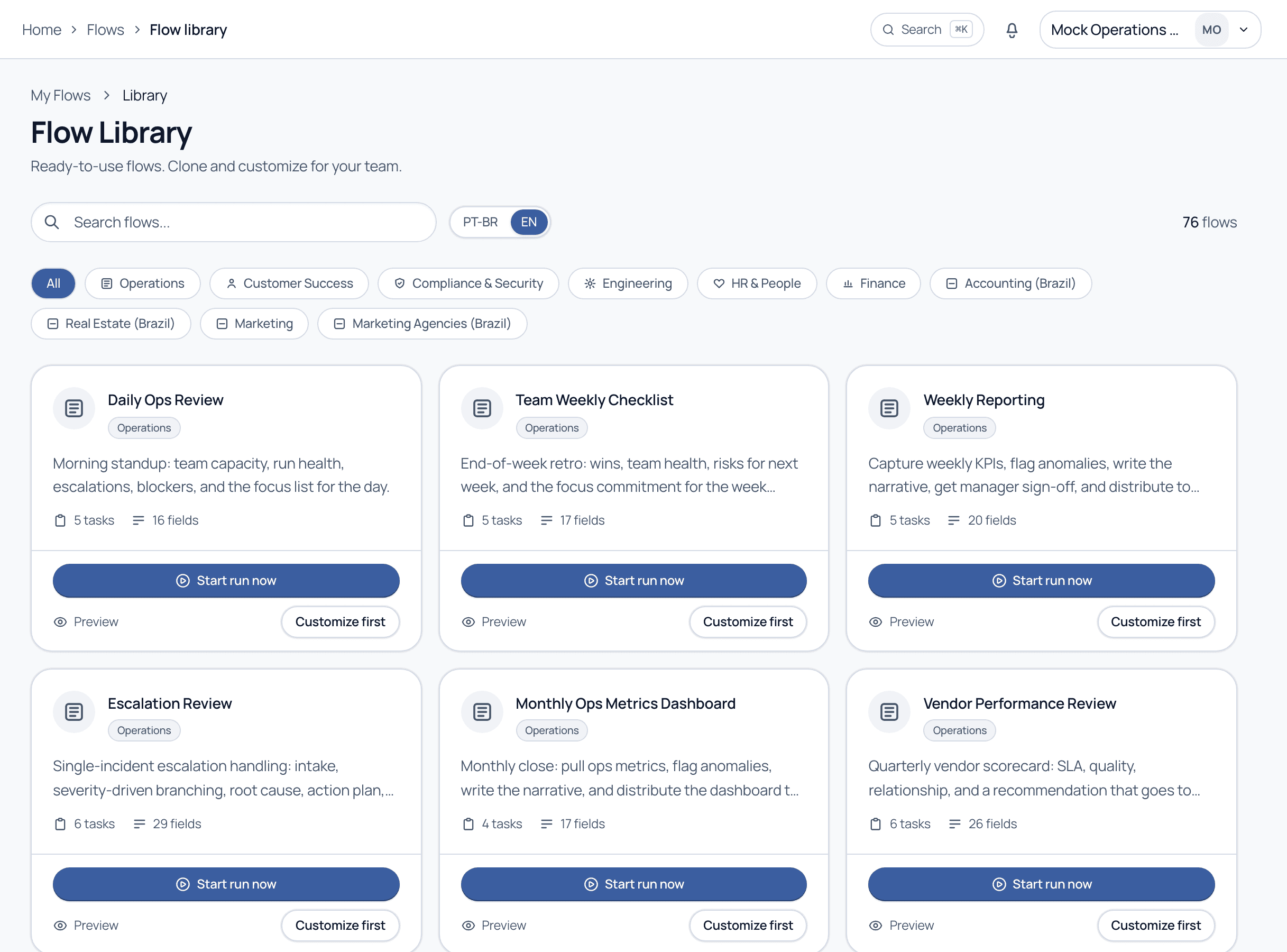
Reach the library from Flows. Browse by category chip (Operations, Customer Success, Compliance & Security, Engineering, HR & People, Finance, and Brazil-specific packs), search by keyword, and switch the content language with the PT-BR / EN toggle. Each card shows the task and field count so you know the depth before you open it.
The Flow library: category filters, a PT-BR / EN toggle, and cards showing task and field counts.
Walkthrough
From template to live run
1
Filter to your area
Pick a category chip or type in the search box. The counter at the top right updates to show how many flows match.
2
Preview before you commit
Click Preview to read the full task list, fields, and logic of a flow without adding anything to your workspace. It is the fastest way to judge fit.
3
Choose Customize first or Start run now
Customize first clones the flow into your Flows as a Draft so you can adapt names, fields, and assignees. Start run now launches it immediately when the template already fits.
4
Adapt and publish
After cloning, open the Flow editor to tailor it to your team, then publish to make it Active. Your changes never affect the original library template.
Good to know
How the library behaves
Cloning is a copy: The cloned flow is fully yours to edit; the library original is untouched and shared across accounts.
Language toggle: PT-BR and EN show localized versions of the same templates, so pick the language your team works in.
Task & field counts: Shown on every card so you can gauge how heavy a flow is before opening it.
Brazil packs: Accounting, Real Estate, and Marketing Agencies packs encode local compliance steps (COAF, CRECI, LGPD) out of the box.
Cloning and trimming a close-enough template is almost always faster than starting blank. Even if you delete half the tasks, the structure and field types give you a head start.
Common questions
If I clone a template, do I get its future updates?
No. A clone is a point-in-time copy that becomes your own Flow. Later improvements to the library template do not flow into your copy, and your edits never touch the original.
Can I contribute my own flow to the library?
The public library is curated by Cadenio, but you can share flows across your own tenants or teams using template sharing. Ask your admin about shared templates.
Not sure which template fits?
Tell us your process on a guided demo and we will point you to the closest starting point.