Every edit is a draft until you publish. Cadenio keeps a full version history with a diff of what changed, so you can compare, restore, and evolve a Flow without fear.
5 min read · Builders & admins
Version history
Every version, with a diff
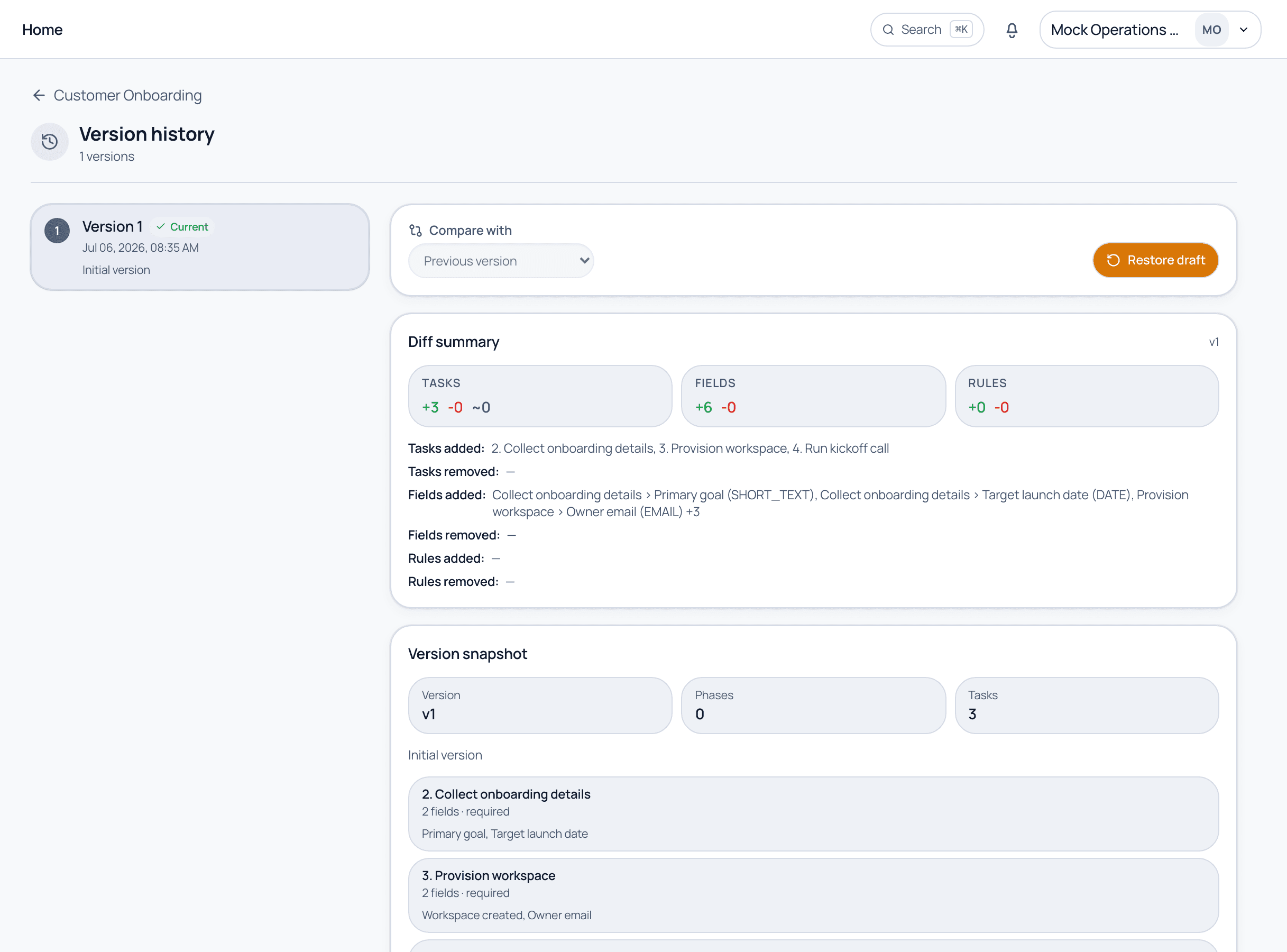
The version history lists each published version and marks the current one. Pick one to compare, and the Diff summary shows exactly what changed, tasks, fields, and rules added or removed, plus a full snapshot of that version. Restore draft rolls the Flow back to any prior version.
Version history. Compare versions, read the diff of what changed, and restore any version.
The publishing lifecycle
From draft to published
1
Edit creates a draft
The moment you change anything in the editor, the top bar shows Unpublished changes. Your edits live in a draft and do not affect anyone yet.
2
Publish to release
Press Publish to turn the draft into a new version. From now on, new runs start from this version.
3
Discard if needed
Not happy with the draft? Discard draft throws away the unpublished changes and returns to the last published version.
4
Compare and restore
Open Version history any time to diff two versions or Restore draft from an earlier one, useful for auditing changes or rolling back a mistake.
Existing runs keep the version they were started from. Publishing a change is safe: it never rewrites work that is already in flight unless you deliberately propagate it.
Common questions
Does publishing change runs that are already in progress?
No. Live runs continue on their original version. Publishing sets the version that future runs will use; propagating to existing runs is a separate, deliberate action.
Can I go back to an older version?
Yes. Version history lets you compare any two versions and restore an earlier one as a draft, which you can then review and publish.
Evolve your processes without fear
See versioning, diffs, and safe rollback on a guided demo.