Tutorial · Kanban board
The Kanban board: run a project your way
Columns you define, cards you drag, and a project that shows its real status at a glance — not just wherever a card happens to sit.
Tutorial · Kanban board
Columns you define, cards you drag, and a project that shows its real status at a glance — not just wherever a card happens to sit.
Overview
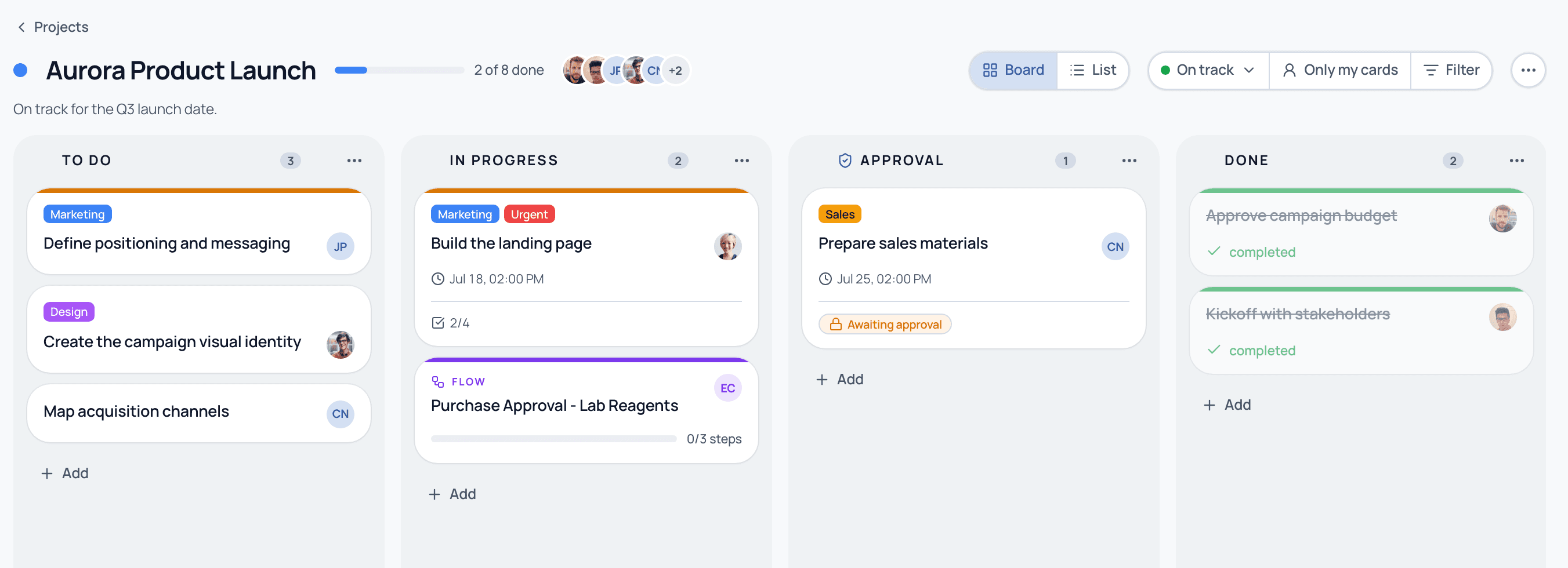
Every project is a board: columns for stages, cards for the work. Drag a card from column to column as it moves forward. The board doesn't care whether what's behind a card is a two-minute to-do or an entire recurring process.
How it works
Every project starts with sensible defaults (To do, In progress, Done), but nothing is fixed. Rename a column, add one, reorder them by dragging the grip handle, or delete one — you pick a fallback column and its cards move there automatically.
Add a blank card and fill it in, or connect a Flow that's already running so a whole recurring process rides the board as a single card. Both options live in the same "+ Add" menu on any column.
Flag a column as an approval gate and a card moved there can't advance without a recorded yes from a named approver. The column header carries a small shield badge so everyone can see which columns are gated.
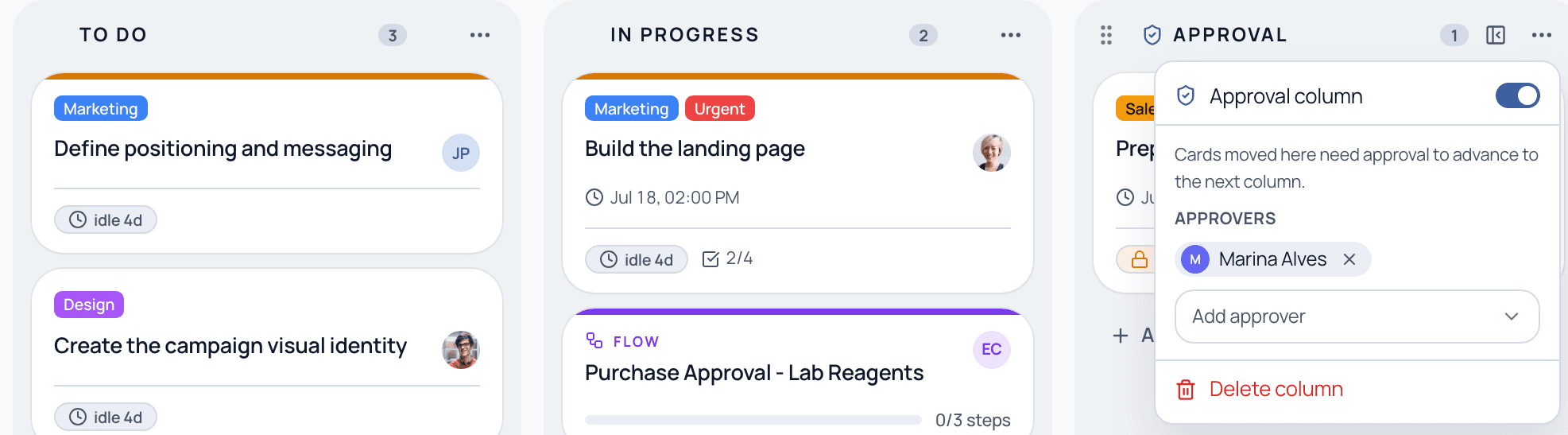
A card's checklist, due date, and approval state are what determine whether work is actually done — not just which column it happens to be sitting in when you glance at the board.
A column doesn't have to just hold cards. Turn one into a formal approval gate, or pull an entire recurring process onto the board as a card — both keep the same audit trail as everything else on the project.
Yes. Drag the grip handle in a column's header to reorder it, or click the column name to rename it. Changes apply immediately — there's no need to plan the board upfront.
You pick a fallback column when you delete one, and its cards move there automatically. No card is ever lost in the process.
The board-and-card grammar is the one you already know. The difference is that a column here can do more than hold cards: it can enforce a formal approval, or hold a live pointer to an entire recurring Flow, both with an immutable audit trail.
The Starter plan keeps up to 3 active projects at a time (archived projects don't count); Business and Enterprise are unlimited. Columns and cards per project aren't capped.
See columns, cards, and an attached Flow on a guided demo.