Logic rules read the answers people give and reshape the Flow in response: show a task, hide it, or branch down a different path. One smart Flow replaces a folder full of variants.
6 min read · Builders
The rule builder
WHEN this, THEN that
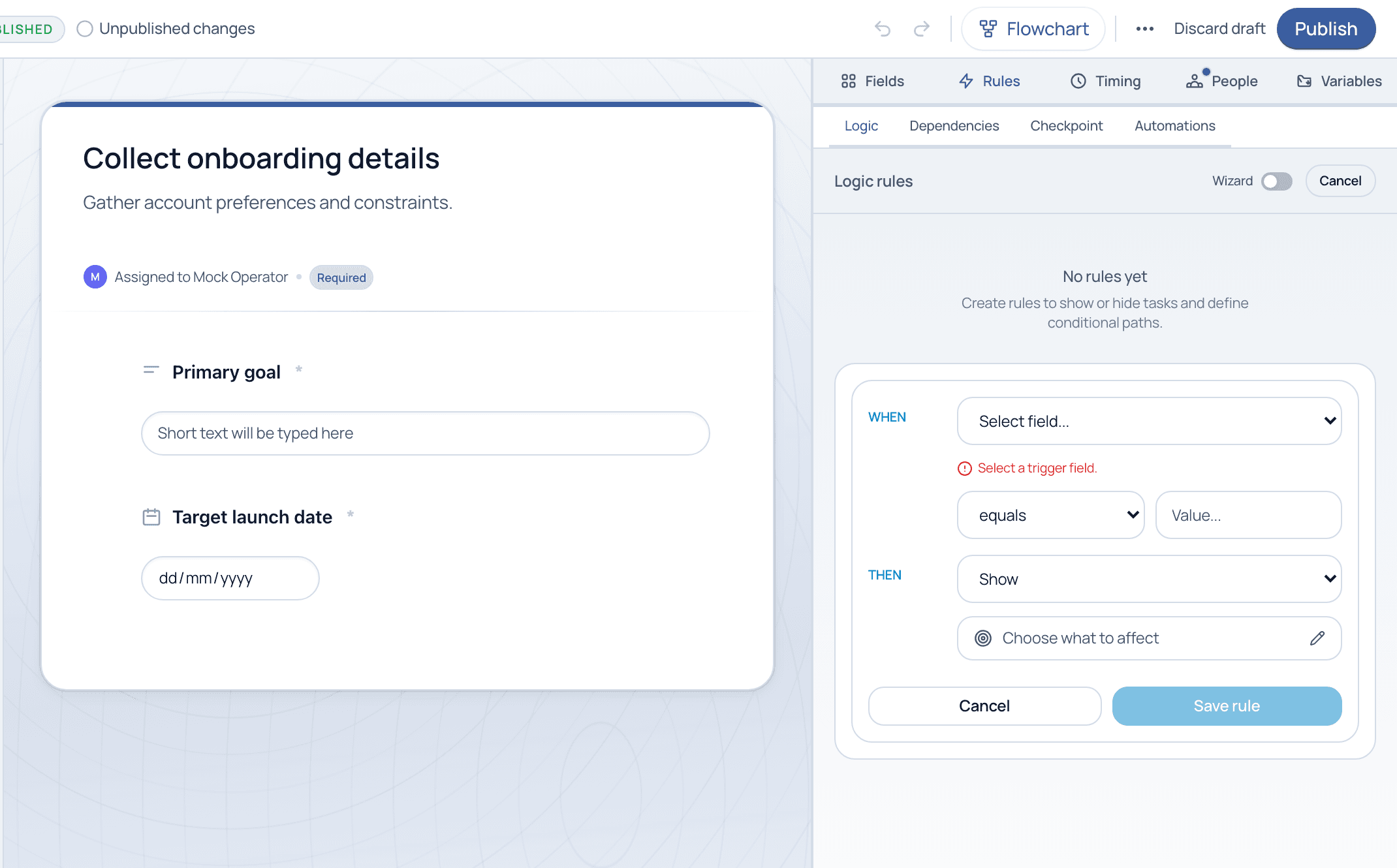
On the Rules tab, click + Add to open the rule builder. A rule reads WHEN a field meets a condition (equals, is greater than, is empty, and more), THEN it takes an action, show or hide a task, on whatever you choose to affect. Prefer a guided flow? Flip the Wizard toggle.
The rule builder. WHEN a field meets a condition, THEN show, hide, or branch the tasks you choose.
The Rules tab
Four kinds of rules
Logic
Show, hide, or branch tasks based on field answers, the conditional core of a smart Flow.
Dependencies
Make one task wait until another is complete, enforcing order without hard-coding it.
Checkpoint
Mark a task as a gate that must be cleared before the Flow can move on.
Automations
Trigger an action automatically when a condition is met, no human step required.
What logic replaces
Before
A folder of variants
•One Flow per scenario
•Impossible to keep in sync
•People pick the wrong one
After
One adaptive Flow
•Rules reveal the right tasks
•Single source of truth
•Edits apply everywhere at once
Result
Less to maintain
•Fewer templates to govern
•Cleaner audit trail
•Consistent execution
Build the happy path first, then add logic for the exceptions. Use the Flowchart view to see every show/hide and branch as a visual map before you publish.
Common questions
What conditions can a rule test?
A rule can test a field with operators like equals, does not equal, greater/less than, is empty, or contains, depending on the field type. Conditions can be combined for more precise branching.
What is the difference between logic and a dependency?
Logic decides whether a task appears at all, based on an answer. A dependency decides when an already-included task becomes available, based on another task finishing. They are often used together.
Turn your branchy process into one Flow
Bring your most conditional process and we will model the logic live on a guided demo.